Building a Landing Page in 30 Minutes (No Code Required)
What You'll Build in This Tutorial
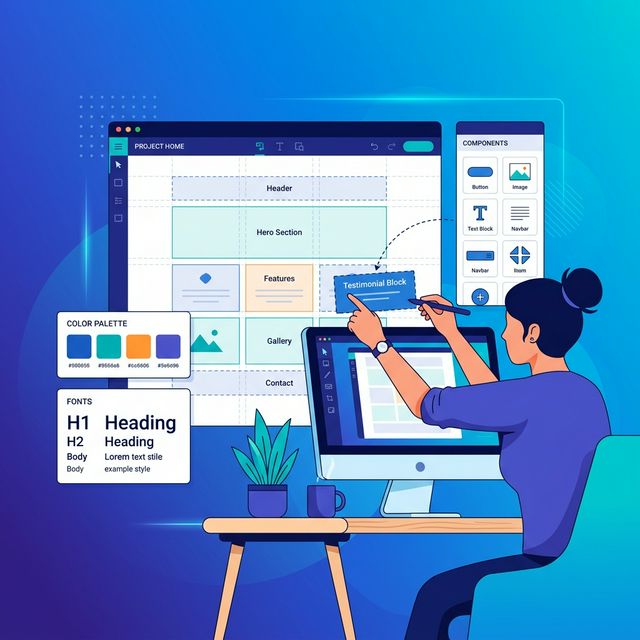
By the end of this step-by-step guide, you'll have a professional, mobile-responsive landing page with a compelling hero section, a features grid, a testimonials section, and a high-converting call-to-action — all built without writing a single line of code.
Whether you're launching a new product, promoting a webinar, or capturing leads for your business, this guide will give you the framework for pages that actually convert. The best part? Once you learn the process, you can build new landing pages in under 30 minutes.
Step 1: Choose the Right No-Code Builder
The tool you choose will determine how fast you can build and how good your page will look. For this tutorial, any drag-and-drop landing page builder will work. Several excellent options are available on OhMySaaS as lifetime deals — meaning you pay once and own the tool forever.
Features to Prioritize
Look for these essential features: true drag-and-drop editing (not just template editing), responsive design that auto-adapts to mobile devices, built-in analytics and conversion tracking, A/B testing capabilities, fast page load speeds (critical for SEO and conversion), and a library of professionally designed templates.
Pro tip: Don't get caught up in comparing 20 different tools. Pick one that looks intuitive, has good reviews, and start building. You can always switch later — the skills you learn are transferable.
Step 2: Start With a Proven Template
Here's a secret that professional designers won't tell you: they almost always start with templates or existing patterns. Starting from a blank canvas is unnecessarily hard and often leads to worse results. Templates encode years of conversion optimization research into ready-to-use layouts.
Choose a template that matches your industry or use case (SaaS, e-commerce, service business, lead generation), then customize it to match your brand. The goal is to modify an already-proven structure, not reinvent the wheel.
Customizing Brand Identity
At minimum, update these brand elements: your logo, primary brand colors (stick to 2-3 colors), fonts (choose one heading font and one body font — both should be highly readable), and imagery that reflects your specific product or service. Consistency builds trust, so make sure these elements match your main website.
Step 3: Write Copy That Converts
Your landing page copy is the single biggest factor in conversion rates. Even the most beautiful page will fail if the words don't connect with your audience's needs and motivations.
Follow the Problem-Agitation-Solution (PAS) framework: first clearly state the problem your audience faces, then agitate by describing the consequences of not solving it, and finally present your solution as the answer. This structure works because it mirrors the natural decision-making process.
Headline Formula
Your headline should communicate the primary benefit in 10 words or fewer. A proven formula: "[Achieve specific result] without [common pain point]." For example: "Build Beautiful Websites Without Writing Code" or "Get More Leads Without Increasing Your Budget."
Write at least 5 headline variations and choose the most compelling one. If possible, A/B test your top two options after launch.
Step 4: Add Social Proof That Builds Trust
Social proof is one of the most powerful conversion drivers available — it can increase landing page conversions by up to 270%. Include at least one of these elements: customer testimonials with real names and photos, logos of companies you've worked with, specific result statistics ("500+ businesses trust us"), star ratings and review counts, or case study snippets with measurable outcomes.
The key is specificity. "Great product!" is weak social proof. "This tool saved our team 15 hours per week and reduced our customer churn by 23%" is powerful social proof.
Step 5: Design a CTA That Demands Action
Your call-to-action is where conversion happens. Every other element on your page exists to support this single button. Make it prominent by using a contrasting color that stands out from the rest of the page. Use action-oriented text that describes the benefit, not the action: "Start Free Trial" beats "Submit," and "Get My Free Guide" beats "Download."
Create visual urgency with supporting text: "Join 2,000+ marketers" or "Limited spots available." And make sure only one CTA per page — multiple competing actions reduce conversion rates.
Step 6: Optimize for Mobile and Speed
Over 60% of web traffic now comes from mobile devices. Preview your page on multiple screen sizes and make sure every element is readable, tappable, and visually appealing on phones and tablets. Common mobile issues: text too small, buttons too close together, images that push critical content below the fold.
Page speed is equally critical: every second of load time reduces conversions by 7%. Optimize images (use WebP format when possible), minimize unnecessary animations, and choose a landing page builder with fast hosting infrastructure.
Step 7: Test, Launch, and Iterate
Before going live, test your page thoroughly: fill out every form to make sure submissions work, check all links, test on both desktop and mobile, and have someone outside your team review the copy for clarity. Then launch and start driving traffic.
After launch, set up A/B tests on your headline, CTA button, and hero image — these three elements have the biggest impact on conversion rates. Let each test run for at least 100 conversions before declaring a winner. Continuous optimization is what separates landing pages that convert at 2% from those that convert at 10%+.